
THE VAULT JOURNAL
Buying Raw Pokémon Cards Online: A Photo Checklist for Your Binder
Choose a raw Pokémon card with clearer front, back and angled photos. See real listing examples, check flaws and send a focused photo request.
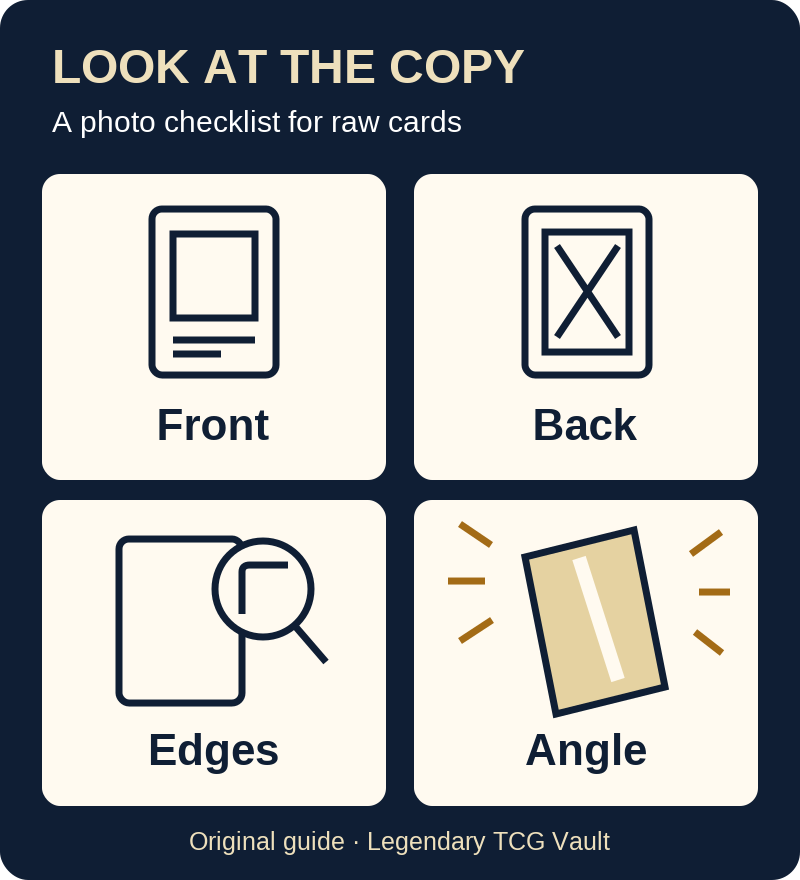
Start with the copy you want to look at
You have found the right Pokémon, artwork and card number. Now you are choosing the individual card that will go into your binder. Two copies of the same card can look quite different once you notice a worn corner or a line across the foil. For a raw card—one outside a grading company’s sealed holder—the useful question is whether this copy fits your collection.
Start with a full front, a full back and closer views of any edge, corner or surface area that could change your decision. Confirm that these are photos of the copy being offered. If a mark appears only in reflected light, ask for an angled view or a short tilt video. Use the seller’s description alongside the photos; even several views cannot rule out every flaw.
Decide what you would accept before asking for more pictures. In one collector discussion, a binder collector was comfortable with a little back whitening when the front suited their collection; others cared about centering or preferred graded display. Those are different collecting goals, not a reason that everyone should accept the same wear. [4]
Write a short preference such as: “I want the artwork to look clean in my binder; small disclosed back-edge wear is acceptable, but I do not want a crease through the illustration.” Change that sentence to match what would actually bother you.
First, match the card and the offered copy
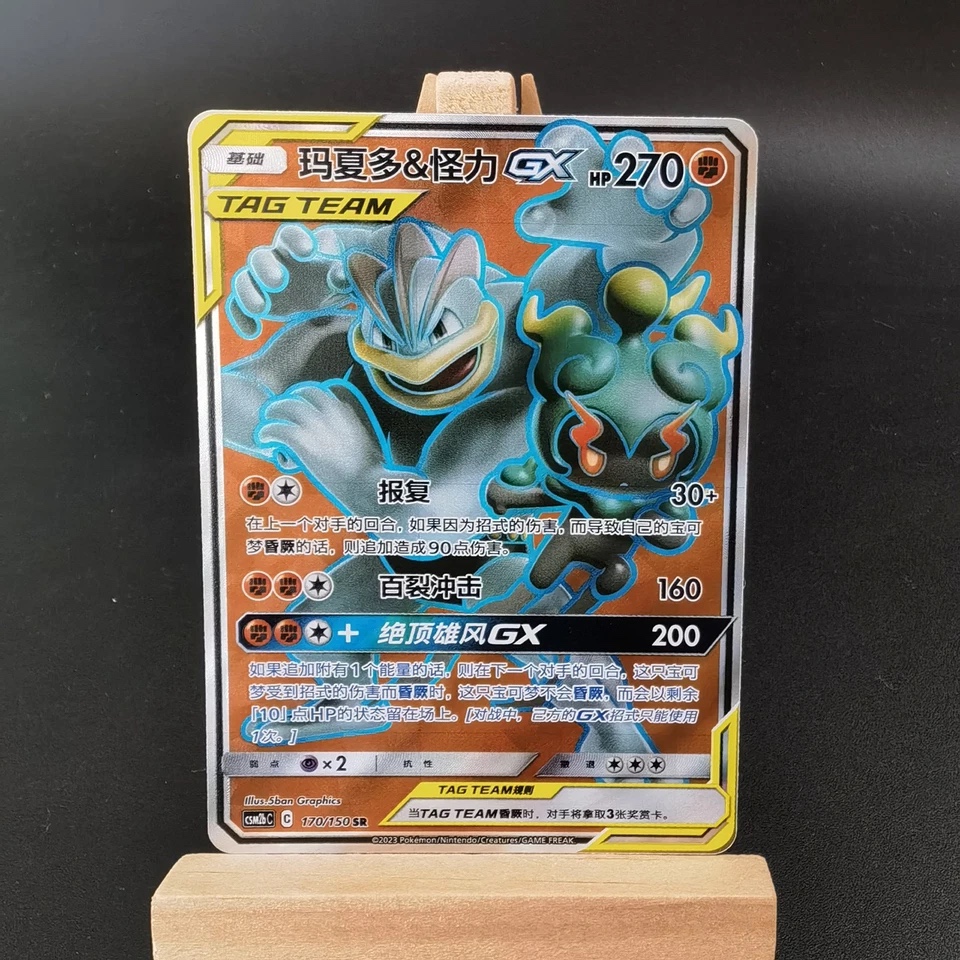
Check the name, language, set identifier and printed card number before comparing condition. In the front photo below, the Simplified Chinese Marshadow & Machamp-GX has CSM6C and 170/150 SR visible at the bottom. A similar-looking artwork in another language or finish may not fill the space you intended.
Ask whether the pictures show the exact copy you would receive, especially when an offer has several copies or selectable options. TCGplayer’s seller guidance calls for detailed front, back, edge and defect photos, plus a description identifying the product, set, language and condition. We use that as a practical starting point for a buyer’s questions; it is not a promise that every seller follows that platform’s rules. [1]
The real photographs in this guide come from Legendary TCG Vault’s listing archive. They illustrate what a view can show. They are not current-stock confirmation, a condition assessment or proof that today’s offered copy is the one photographed. An official card scan is useful for checking the design, but cannot show wear on an individual card.
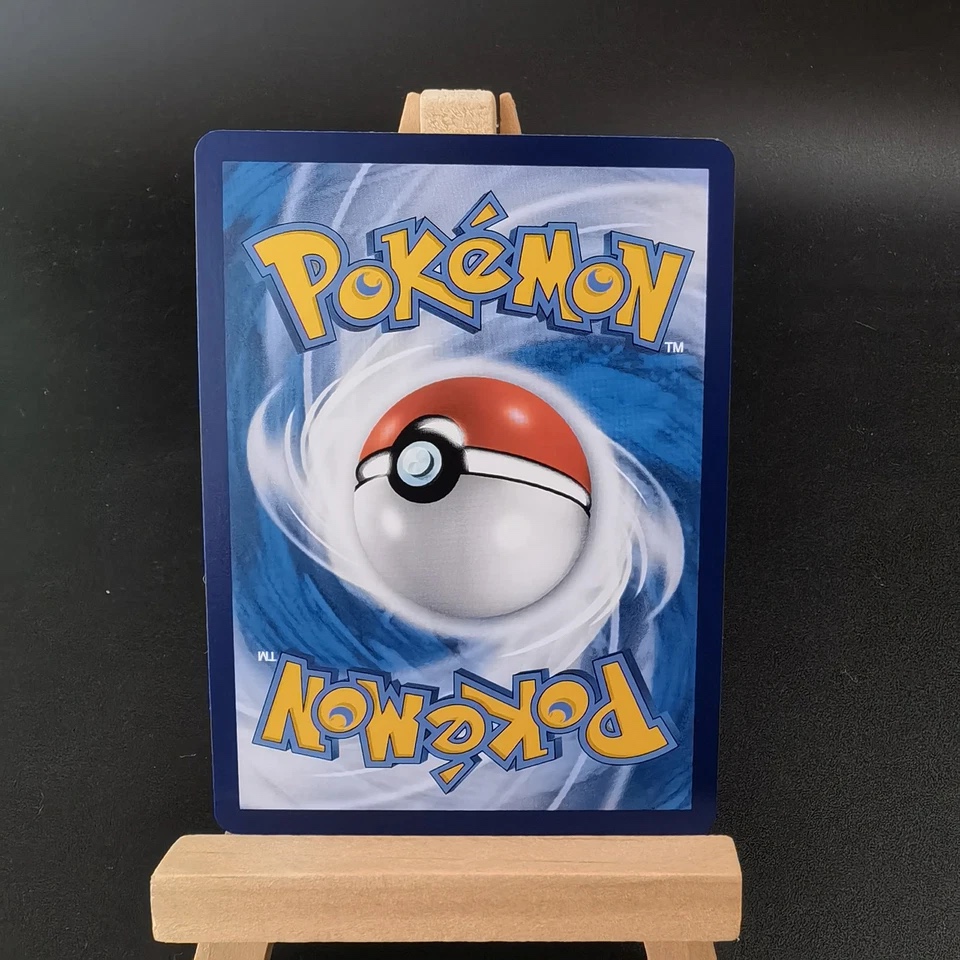
Use the back to check a different set of details
A good-looking front leaves the back unanswered. Look at each corner and the borders on both sides, then ask for a closer view if something is too small to judge. Do not crop the edge out of your own comparison: that is often the part you are trying to inspect.
The back image below belongs to the same archived listing as the front. The blue border provides a different view of the card’s outline, but a generic Pokémon back cannot establish which physical copy it belongs to. Ask the seller to confirm the pair. Notice, too, that the card rests on a wooden easel: a full-frame photograph does not necessarily expose the entire bottom edge or the edge’s thickness.
“Near Mint” is still a range. TCGplayer’s overview allows a small number of slight imperfections within NM, including minor edge wear or scratches. That is a marketplace condition category, not a numeric grading prediction. For your binder, ask what wear is actually present and where it is; the label alone cannot tell you whether it will bother you. [2]
Make a line in the photo explainable
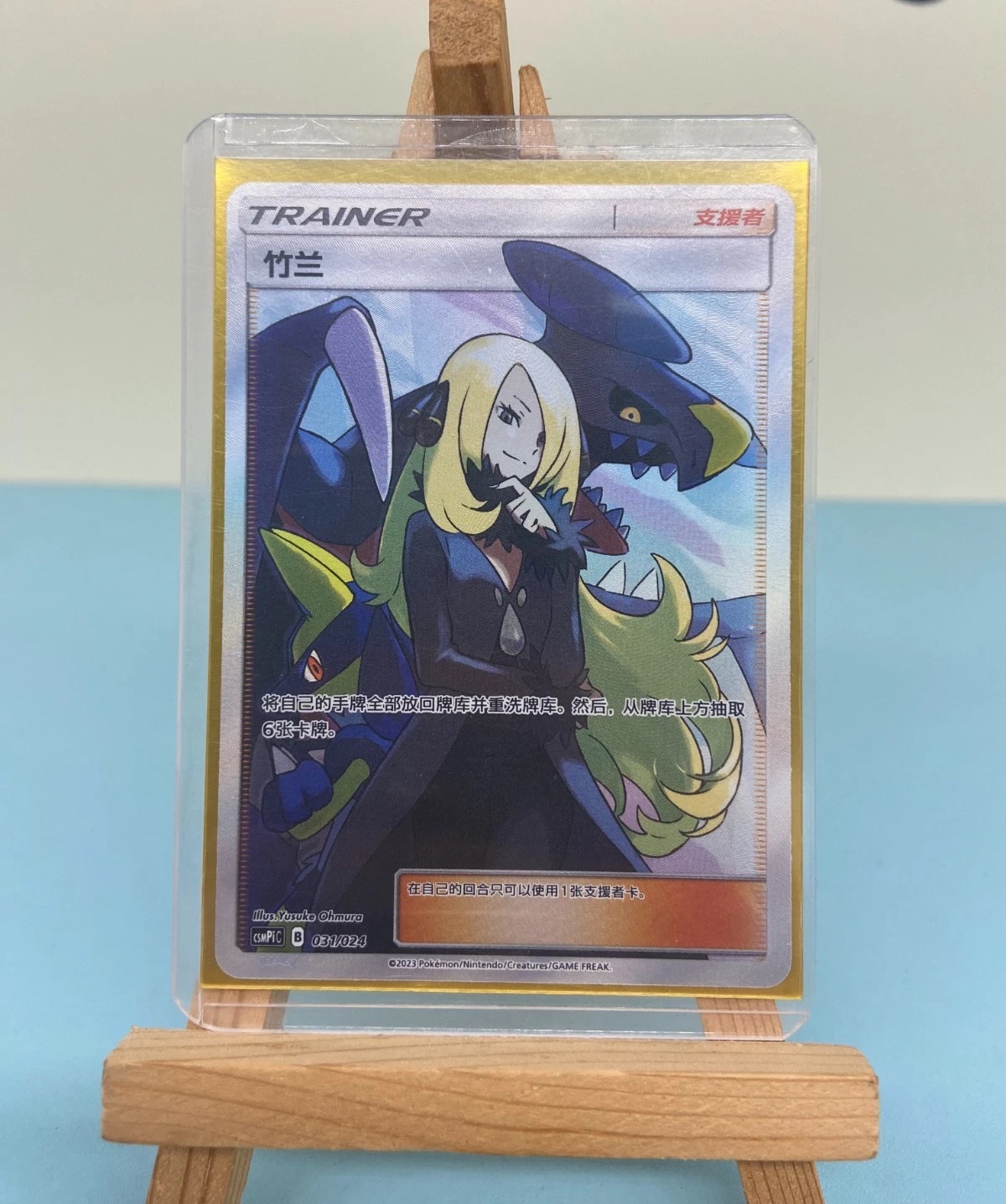
Reflections complicate surface checks. The Cynthia photo below is a separate example: the card sits inside protective plastic, which adds another surface between the camera and the card. A line in that view is a question to resolve, not enough information to diagnose a scratch on the card.
Point to the area you mean: “Is the line above the artwork on the outer holder, sleeve or card?” Ask for a clear view without the obstruction if the seller can safely provide it, or a short video that moves the reflection across the area. Do not ask someone to bend or press a card to demonstrate a flaw.
A buyer in a Pokémon TCG discussion knew a listing mentioned a small crease but mistook a different line in the photograph for it. They reported that the actual crease crossed the artwork more visibly than expected, and could almost disappear at one angle. Some commenters thought it had been visible in the listing; others found it hard to judge. The useful lesson is specific: if the description names damage that you cannot locate, ask the seller to identify its position and show it from another angle. [3]
A second angle can reduce uncertainty, but it cannot guarantee that every dent, scratch or alteration will be visible. These photos are for deciding what to ask and whether to proceed; they do not authenticate the card or guarantee a future grade.
Send one focused request instead of “more photos”
A useful request names the card, the copy and the missing information. You can adapt this message:
“Hi, I am considering [card name, language, set and number] for my binder. Do the listing photos show the exact copy offered? Could you send a clear full front and back, plus a close view of [specific corner, edge or mark]? The description mentions [flaw], but I cannot locate it. Please show where it is, and an angled photo or short tilt video if reflection hides it. I can accept [your tolerance], but would like to clarify this before deciding.”
If the existing photos already answer a question, leave it out. For a single uncertain corner, ask about that corner. For a multi-option listing, include the selected option so the seller does not photograph a different card. Clear questions make the answer easier for both of you to check.
- Identity: the visible name, language and number match your target.
- Copy: the seller confirms which physical card or option the photos cover.
- Views: front, back and the area of concern are visible and large enough to inspect.
- Decision: any disclosed flaw has a known position and fits your own tolerance.
Choose, clarify or leave that copy pending
Here is a hypothetical binder choice. Copy A has small, clearly shown back-edge wear and an artwork area you enjoy. Copy B is described as cleaner, but a line across the illustration remains unexplained. If you accept A’s disclosed wear, A may fit your goal. If you want a cleaner back, neither is settled: keep looking, or clarify B’s line. This example is about your preferences and the available evidence, not a price rule or a real Vault transaction.
Once the questions are answered, save the agreed description and relevant photos with your collection notes. If an important area remains unclear, leave that copy pending rather than treating the uncertainty as resolved. For a set project, our missing-card-list guide can help you keep the exact version and its status together.
You can browse Chinese singles at Legendary TCG Vault to identify a card or listing option, then include the full identifier and your photo question in an enquiry. The catalog is a listing snapshot: current availability, the offered copy and final terms still need confirmation. An enquiry draft is not an order or a stock reservation.